Cull mode in Phoaly is built around three decisions: keep, maybe, and reject. Each has a key, marking advances to the next photo, progress counts the whole scope, and deletes go to the system Trash with an undo.
This page explains the feature model. For the two-pass workflow, see the culling guide.
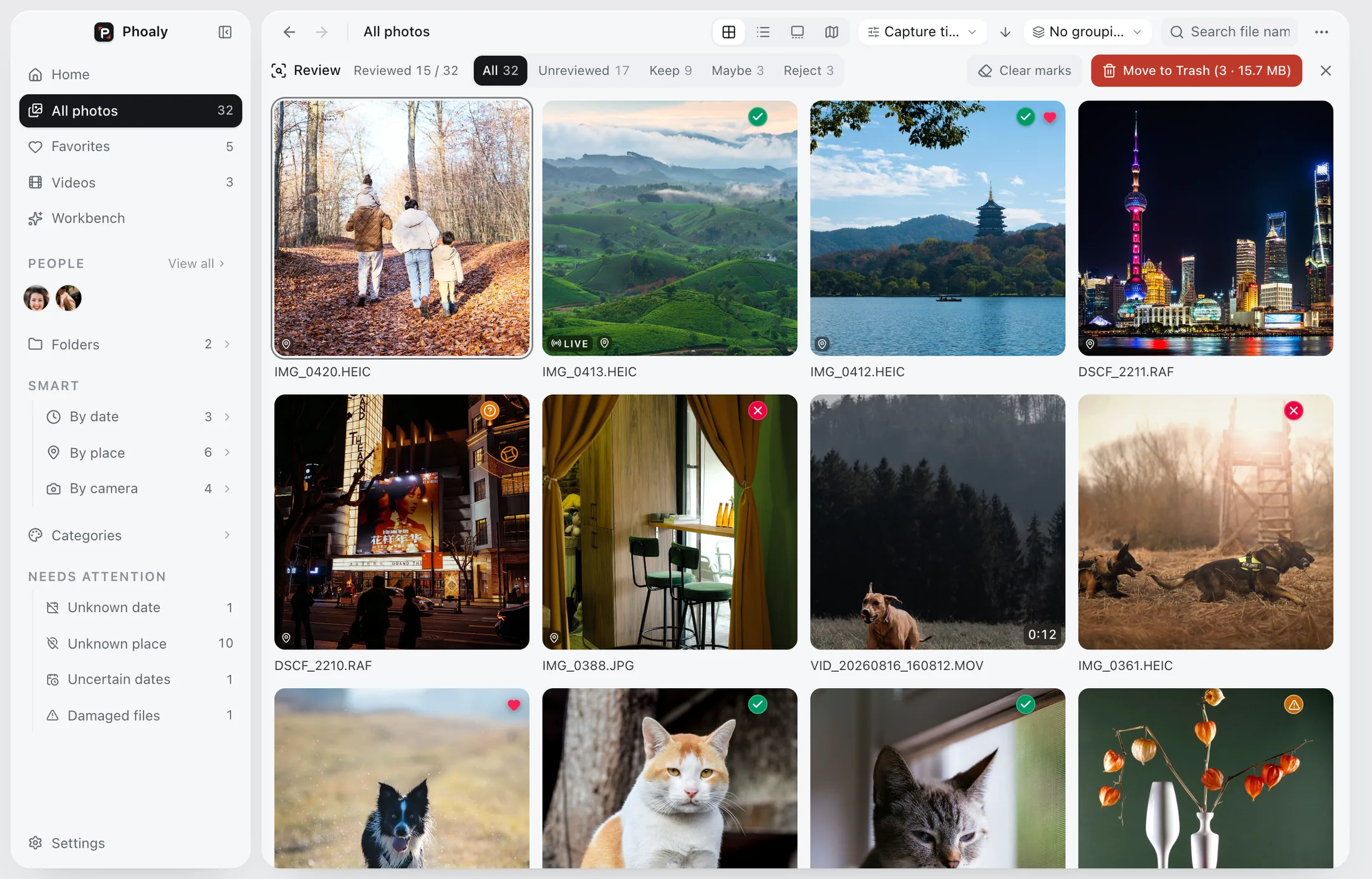
The three states
A binary keep or delete forces a decision too early. Three states keep the session moving:
- Keep: this frame moves forward.
- Maybe: this frame needs a second look.
- Reject: this frame does not belong in the set.
You can cull the obvious cases quickly and leave the ambiguous ones for a slower pass.
Keyboard-first
Each state has its own key. Marking a photo advances to the next one, so you can cull with one hand on the keyboard and keep your eyes on the frame.
The cull bar shows the current state and the filters, so you do not have to remember where you are.
Across views
The same controls work in:
- Grid view for the overview.
- List view for names, sizes, and dates.
- Gallery view for a large frame and filmstrip.
- The full-screen viewer for the final look.
You can move between views without relearning the keys.
Progress and filters
Progress counts the whole scope, not just the visible page. Filters let you jump back to the maybe set or review rejects before deleting.
That matters on a shoot with thousands of frames: the number tells you how much of the shoot is decided, not how much of the current screen.
Safe deletes
Culling is reversible:
- Rejects go to the system Trash.
- The last action can be undone.
- A rejected file can be restored from the Trash until it is emptied.
- Browsing and previewing never write to the originals.
The cull itself does not change files until you confirm a delete.
Where it fits
Cull after ingest and before organizing or delivery:
- Copy the shoot into a folder.
- Cull in two passes.
- Organize or rename the selects.
- Deliver, then archive.
See the photographers use case for the full pipeline.
Limits
- Not a star-rating or keyword system.
- Not an editor.
- Not a cloud review or proofing tool.
- Not a permanent delete; the Trash is the safety net.
Frequently asked questions
Are deletes permanent?
No. They go to the system Trash and can be undone, and the files can be restored from the Trash until it is emptied.
Can I cull a whole year at once?
You can, but one shoot or one event at a time keeps the decisions consistent. The progress counter works over whatever scope you open.
Does culling change the original files?
No. It records a decision. The file changes only when you confirm a delete, and that delete goes to the Trash.
Can I undo a wrong mark?
Yes. The last cull action can be undone.